# Automating my Gym slot Reservation
I'm a Graduate student at UT Arlington. I always feel that taking care of both physically and mentally are essential to our success. So, I start my daily routine at Fitness Recreation Center (gym) and registering slots daily is a hassle and due to covid the gym slots are very limited and I don't want to miss them.
So I have written a python script that automatically registers my gym slot every day
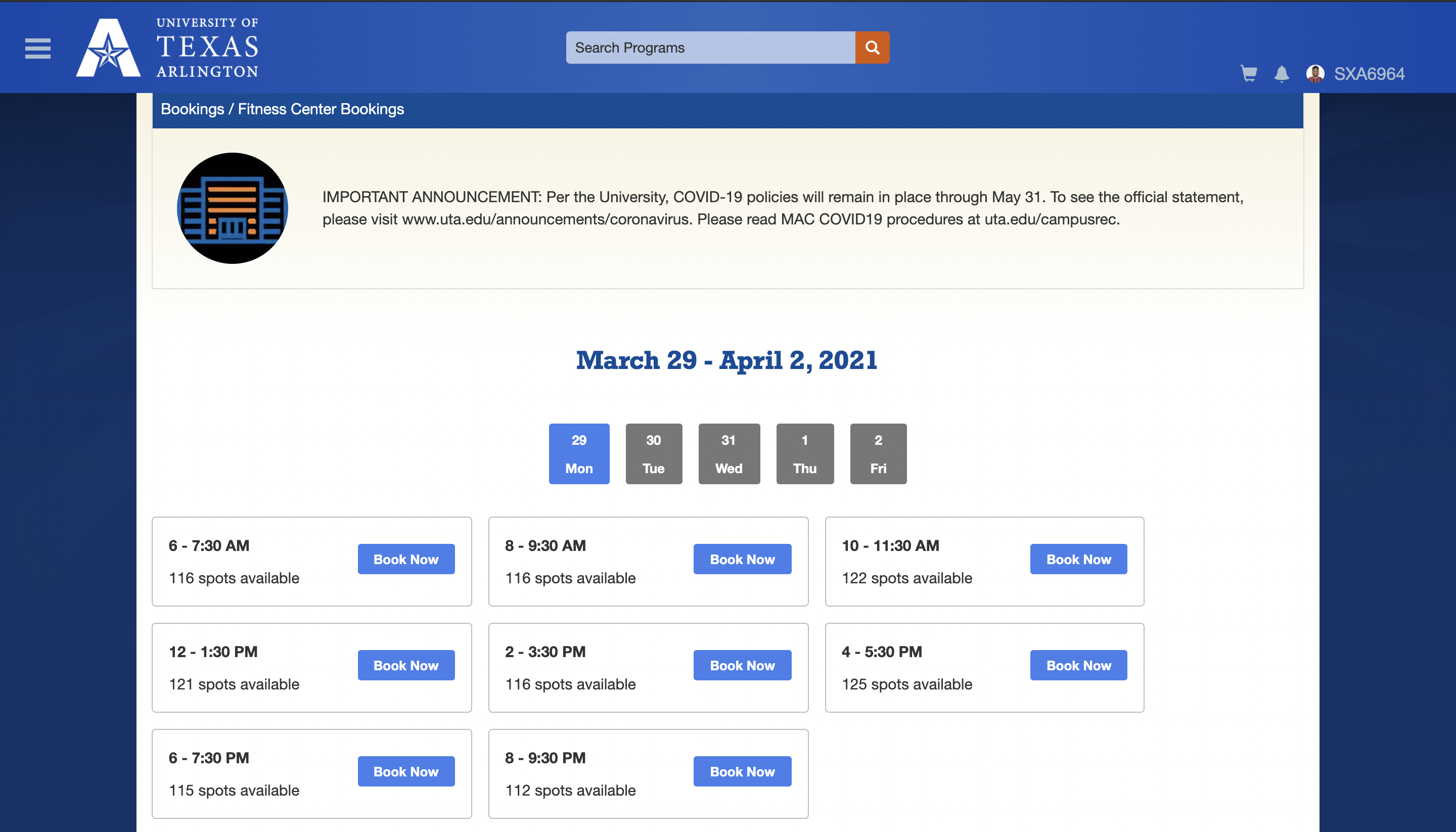
Creating and Deploying a python script on Heroku.com
Prerequisites:
- Python
- Selenium
- webdriver (I used Chrome webdriver)
Let's Begin:
**Step 1 :**
import all necessary modules
```python
from selenium import webdriver
from selenium.webdriver.common.keys import Keys
from time import sleep
from os import environ
```
**Step 2:**
Enter the location of Chrome Webdriver and assign it to the **browser** variable
```python
browser=webdriver.Chrome("/Users/sunilaleti/Documents/chromedriver")
```
**Step 3:**
There are few steps to register, i.e opening the portal, authentication(email and password) and slot booking.
we have broswer.get() to open the webpage and for the authentication steps we need to grab the XPath of that element
To grab Xpath of an element:
inspect >> copy >> copy Xpath
```python
# to click on sign in button
browser.find_element_by_xpath('//*[@id="divLoginOptions"]/div[2]/div[2]/div/button').click()
# to enter my email for authentication
browser.find_element_by_xpath('//*[@id="i0116"]').send_keys(environ.get["Email"])
browser.find_element_by_xpath('//*[@id="idSIButton9"]').click()
# to enter my password
browser.find_element_by_xpath('//*[@id="i0118"]').send_keys(environ.get["Password"])
# to click on submit
browser.find_element_by_xpath('/html/body/div/form[1]/div/div/div[2]/div/div/div[1]/div[2]/div[2]/div/div[2]/div/div[3]/div[2]/div/div/div/div/input').click()
# to scroll the window
browser.execute_script("window.scrollTo(0,document.body.scrollHeight)")
# to book gym slot
browser.find_element_by_xpath('//*[@id="divBookingSlots"]/div/div[1]/div/button').click()
```
Source Code:
```python
from selenium import webdriver
from selenium.webdriver.common.keys import Keys
from time import sleep
from os import environ
def Booking():
browser=webdriver.Chrome("/Users/sunilaleti/Documents/chromedriver") #Enter Location of Chrome driver
browser.maximize_window()
try:
browser.get("https://reclink.uta.edu/booking/5dcc386e-4bd5-4474-80ec-a47472d3963a")
sleep(2)
browser.find_element_by_xpath('//*[@id="divLoginOptions"]/div[2]/div[2]/div/button').click()
browser.find_element_by_xpath('//*[@id="i0116"]').send_keys(environ.get["Email"])
browser.find_element_by_xpath('//*[@id="idSIButton9"]').click()
sleep(2)
browser.find_element_by_xpath('//*[@id="i0118"]').send_keys(environ.get["Password"])
sleep(2)
browser.find_element_by_xpath('/html/body/div/form[1]/div/div/div[2]/div/div/div[1]/div[2]/div[2]/div/div[2]/div/div[3]/div[2]/div/div/div/div/input').click()
browser.execute_script("window.scrollTo(0,document.body.scrollHeight)")
browser.find_element_by_xpath('//*[@id="divBookingSlots"]/div/div[1]/div/button').click()
print("Booked Successfully")
except:
print("Booking Failed")
finally:
browser.quit()
if __name__ == '__main__':
Booking()
```
**Step 4:**
We have written our python script, now we should deploy this on Heroku (which is a container-based cloud Platform as a Service (PaaS)). Developers use Heroku to deploy, manage, and scale modern apps.
For deploying this python script, we also need a Procfile and requirements.txt file.
Push these files to GitHub and connect to it Heroku
You can get these files from my GitHub repo
And in order deploy selenium script in heroku, we need to add these in our code
```python
chrome_options = webdriver.ChromeOptions()
chrome_options.binary_location = os.environ.get("GOOGLE_CHROME_BIN")
chrome_options.add_argument("--headless")
chrome_options.add_argument("--disable-dev-shm-usage")
chrome_options.add_argument("--no-sandbox")
browser = webdriver.Chrome(executable_path=environ.get("CHROMEDRIVER_PATH"), options=chrome_options)
```
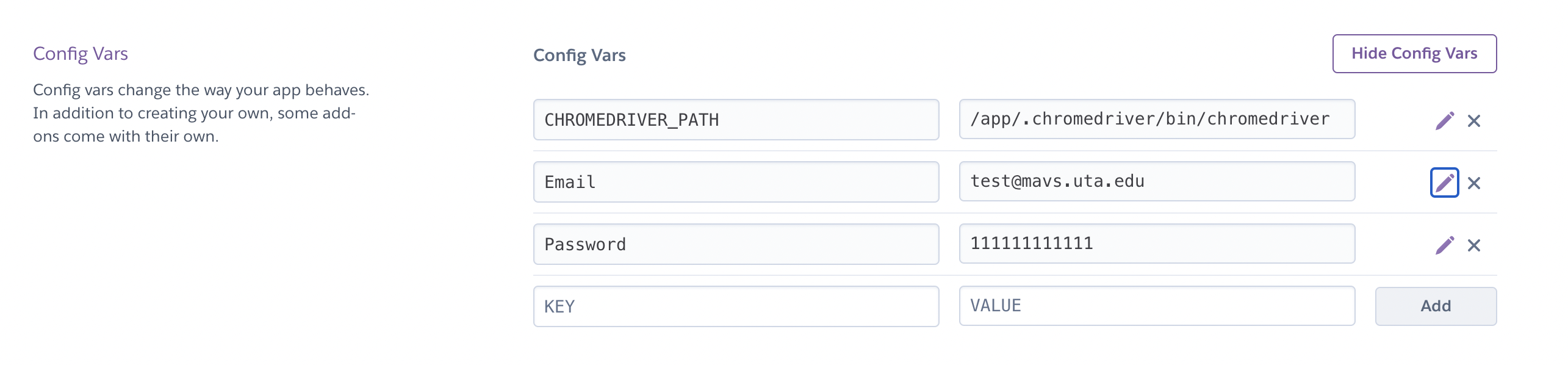
Add these values in **Config Vars**
**Step 5:**
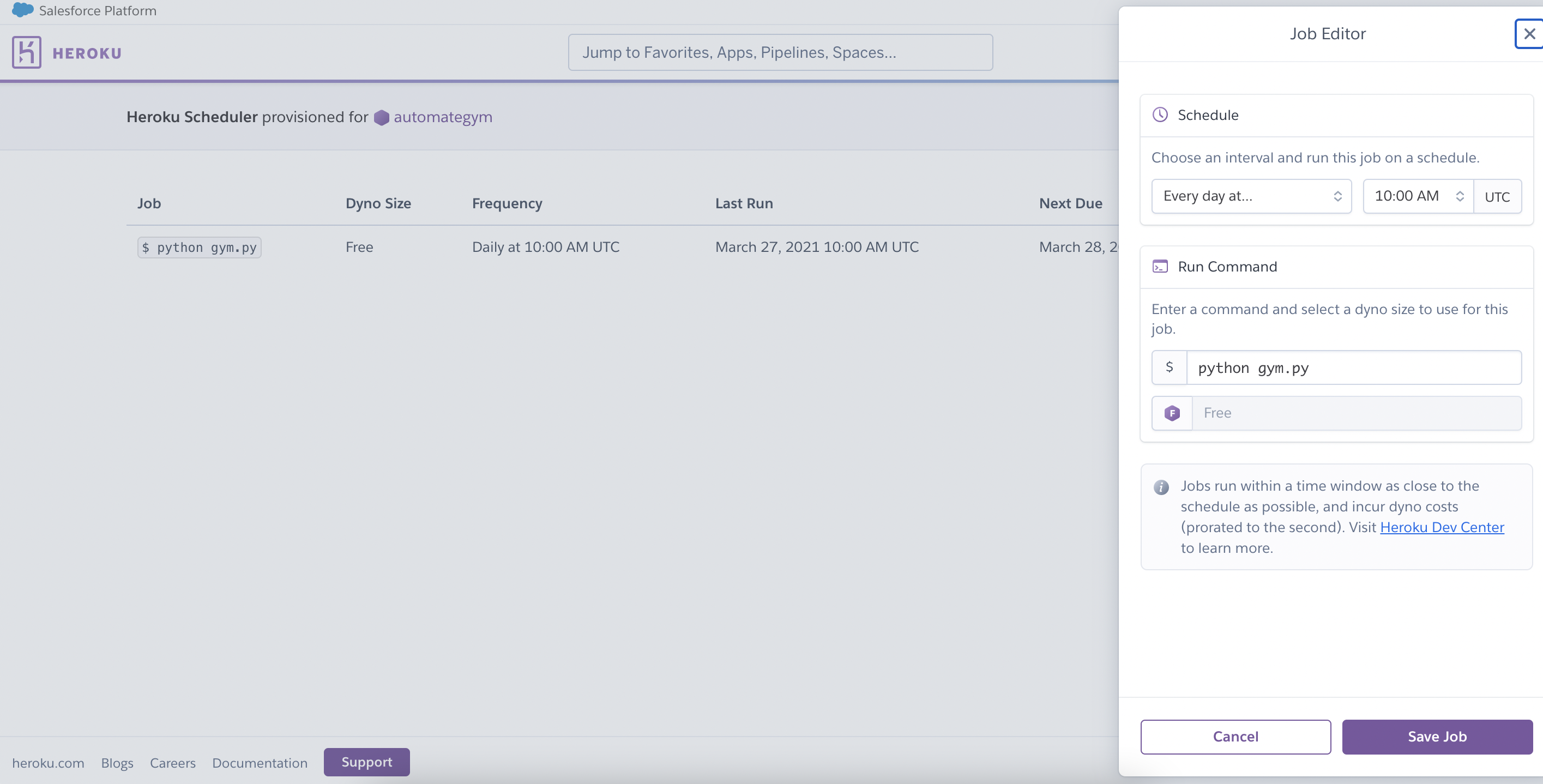
Add **Heroku Scheduler** add-on to schedule this python script to execute everyday
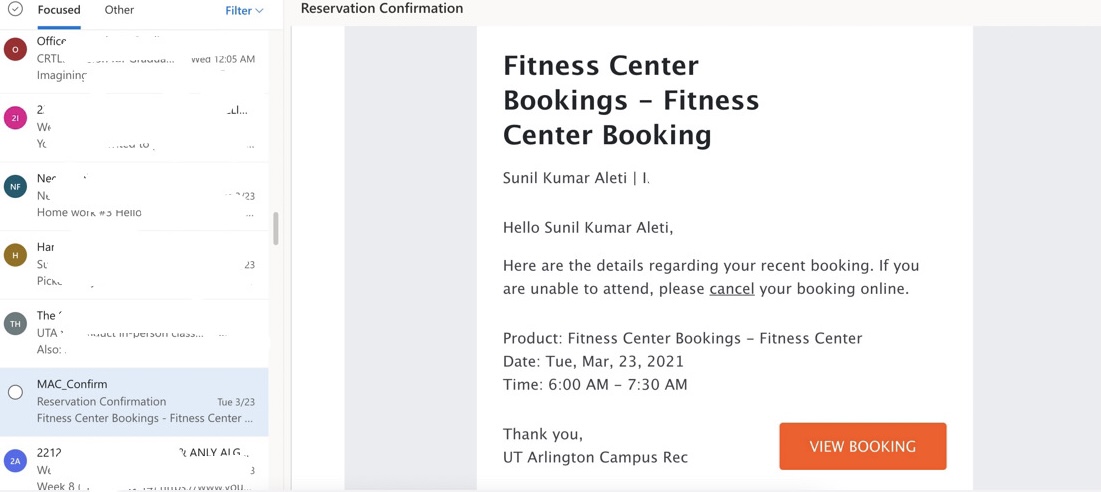
**That's it**
%%[buymeacoffee]
%%[links]