# How to Change Background of an image using PixelLib
Before talking about "**What is Pixellib** and **what does it do?**", let's talk about Image Segmentation
### Image Segmentation
It is the process of partitioning a digital image into multiple segments. The goal of segmentation is to simplify and/or change the representation of an image into something that is more meaningful and easier to analyze. Image segmentation is typically used to locate objects and boundaries (lines, curves, etc.) in images. It has a lot of amazing applications that solve different computer vision problems.
**PixelLib** is a library created to ensure easy integration of image segmentation in real-life applications. PixelLib now supports a feature known as image tuning.
### What is Image tuning?
Nothing but changing the background of an image with a custom background or adding a distinct color to the background or converting a background to grayscale. And we make use of **deeplabv3+** model trained on **pascalvoc** dataset. The model supports 20 common object categories, which means you can change the background of these objects in images.
The model supports the following objects:
person, bus, car, aeroplane, bicycle, motorbike, bird, boat, bottle, cat, chair, cow, dinning table, dog, horse, sheep, sofa, train, tv
We should install pixellib and its dependencies
- pip3 install pixellib
- pip3 install tensorflow
For demonstration purposes, let me select one of my pictures and also a custom image
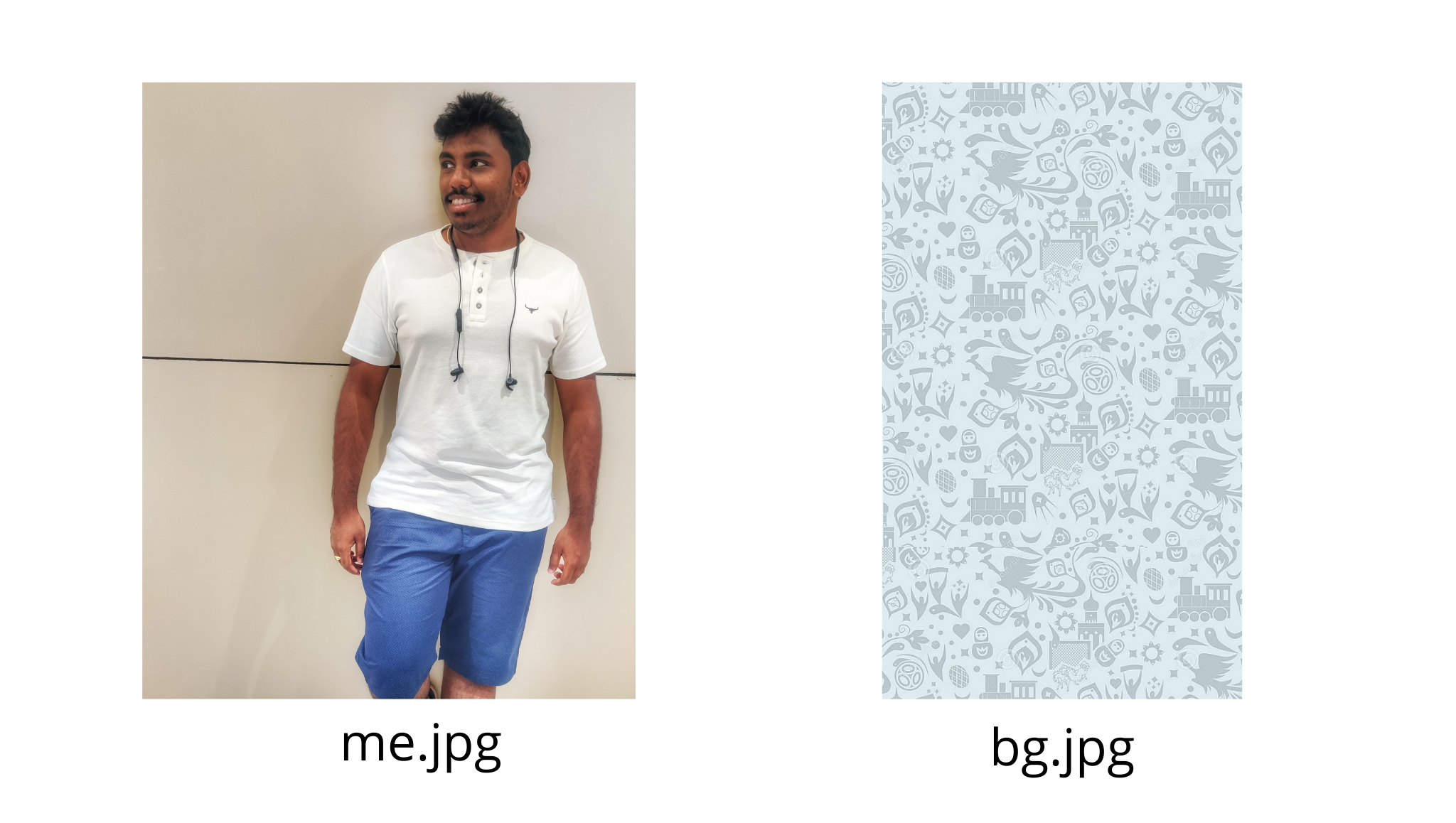
**Code to change the background of an image with a picture**
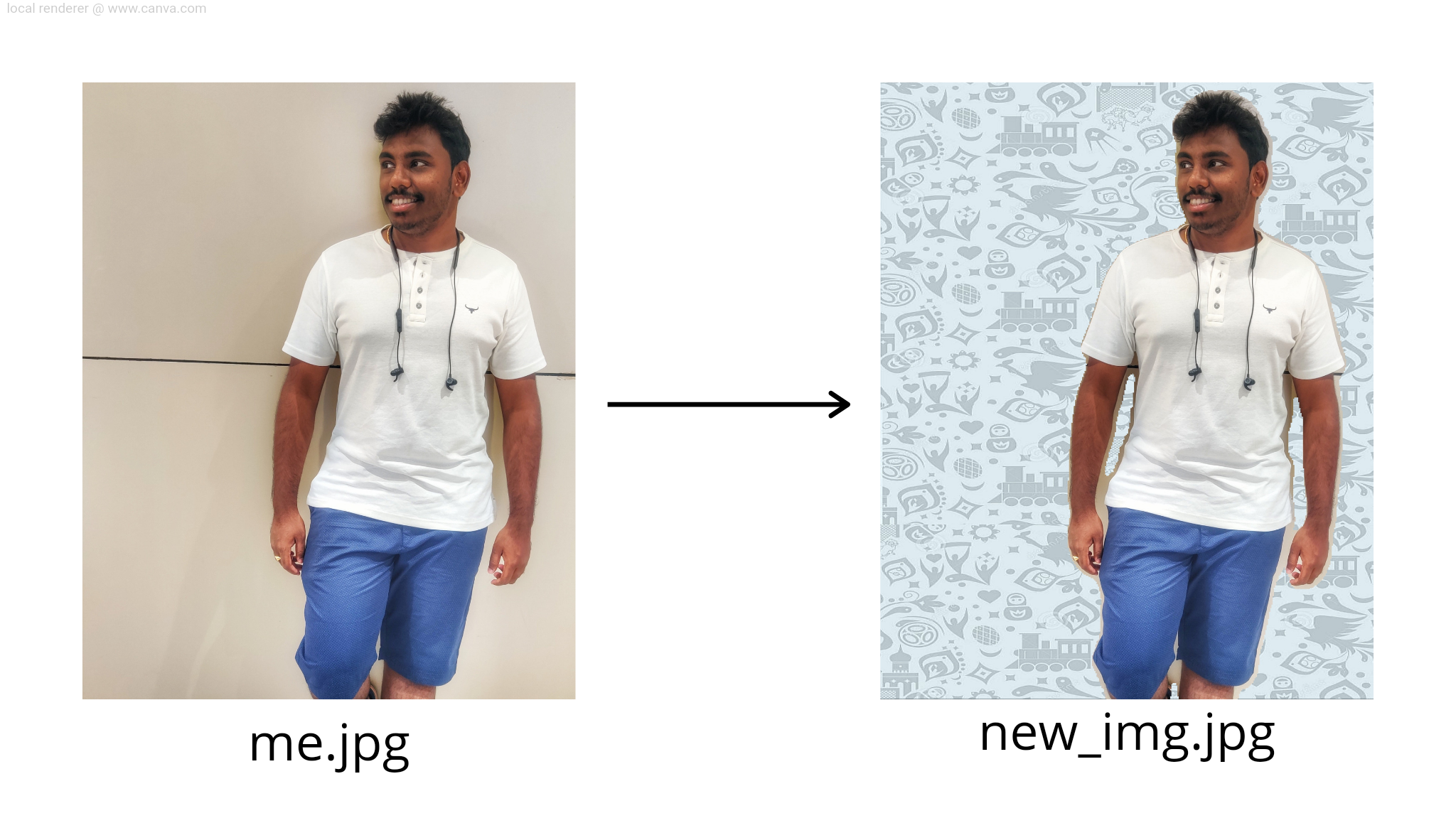
Now we changing the background of the 1st image with the 2nd image
```python
import pixellib
from pixellib.tune_bg import alter_bg
change_bg = alter_bg()
change_bg.load_pascalvoc_model("deeplabv3_xception_tf_dim_ordering_tf_kernels.h5")
change_bg.change_bg_img(f_image_path = "me.jpg",b_image_path = "bg.jpg", output_image_name="new_img.jpg")
Image(filename='new_img.jpg',width=300,height=350)
```
We imported pixellib, and from pixellib, we imported in the class alter_bg
We loaded deeplabv3+ model.
The function takes the following parameters:
**f_image_path**: This is the foreground image, the image which background would be changed.
**b_image_path**: This is the image that will be used to change the background of the foreground image.
**output_image_name**: The new image with a changed background.
And this is the "new_img"
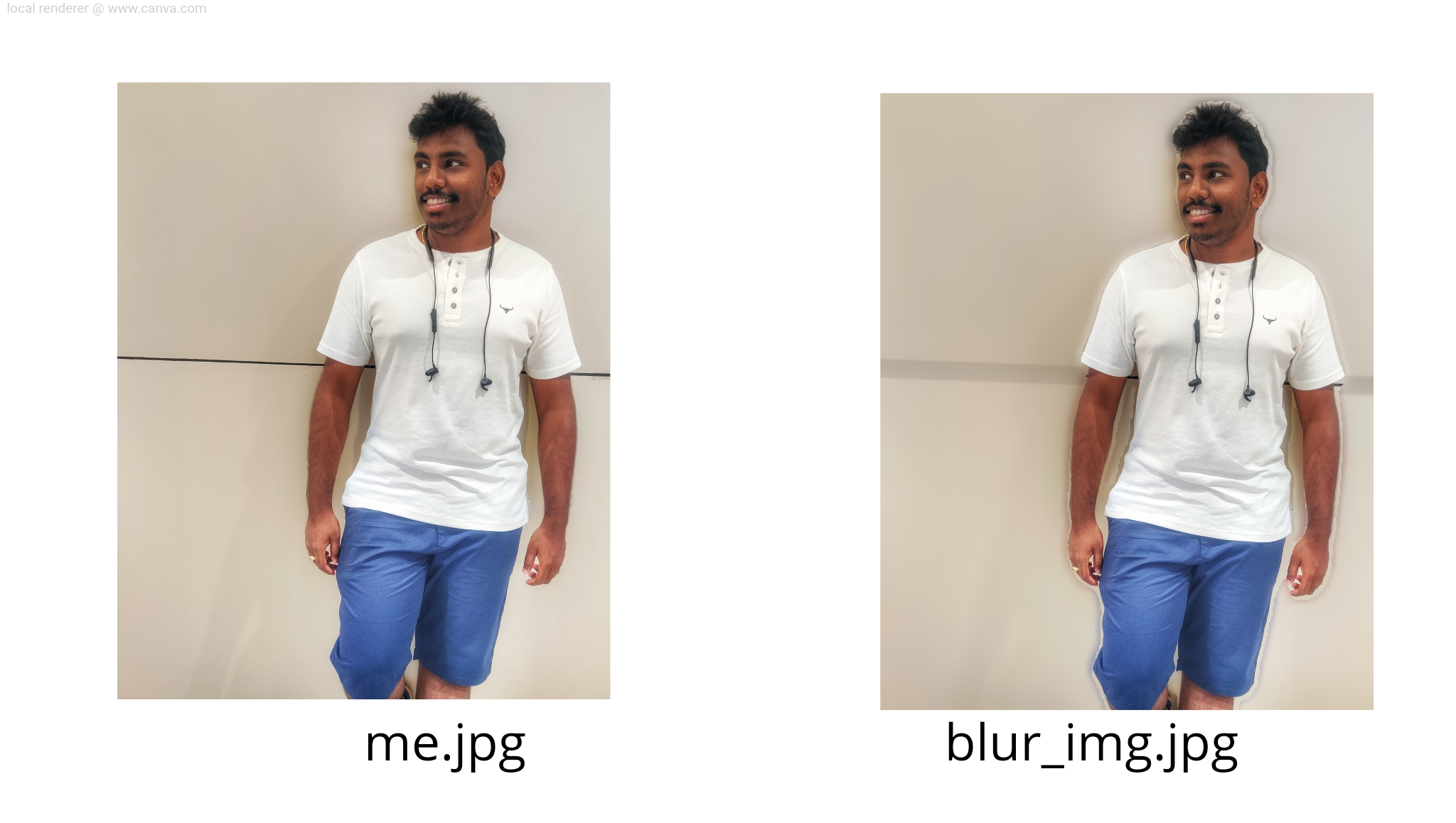
**To blur the background of an image**
It is also possible to control how blur the background should be.
- low=True
- moderate=True
- extreme=True
```python
change_bg.blur_bg("me.jpg",extreme=True, output_image_name="blur_img.jpg")
```
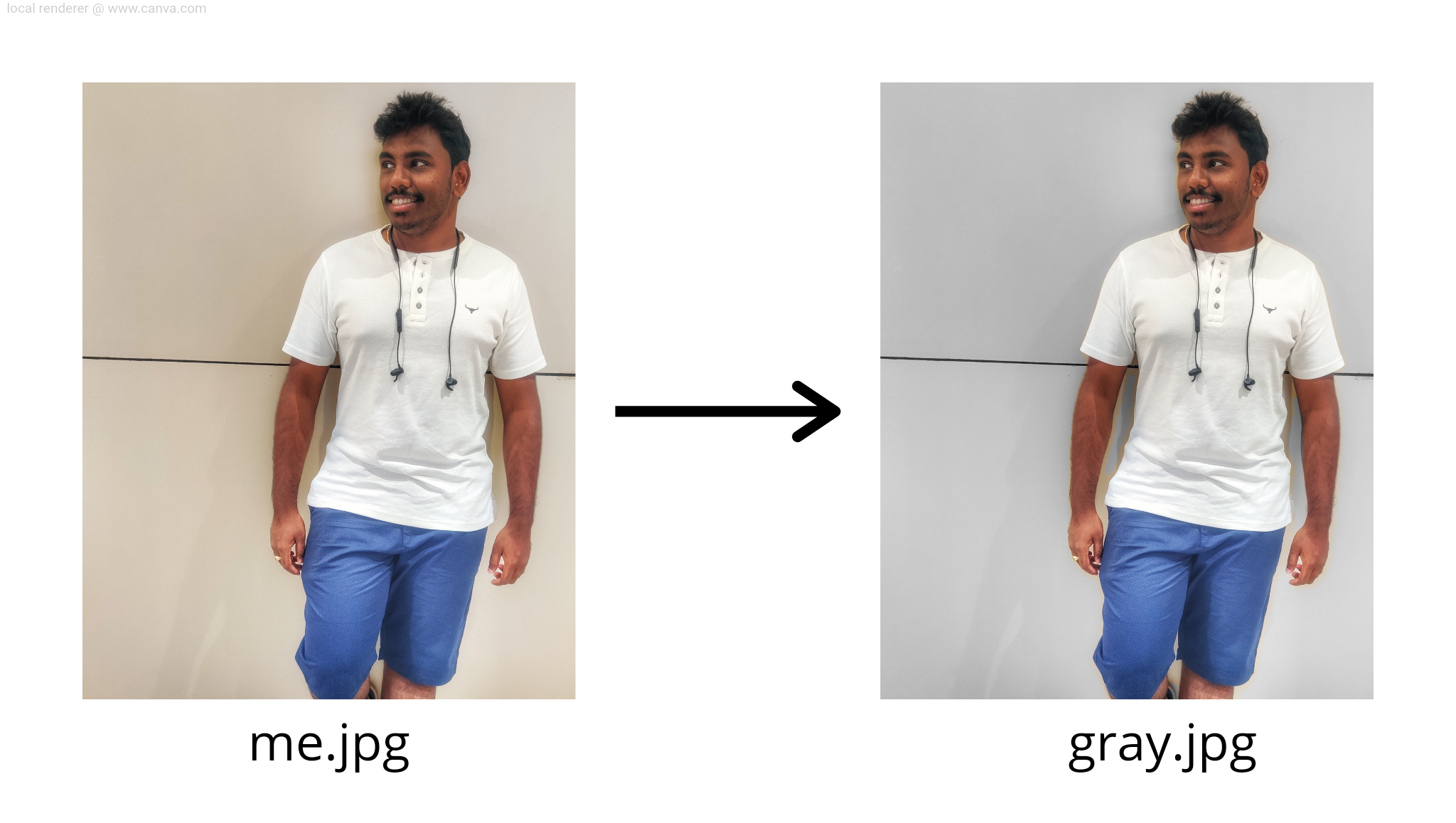
**To Grayscale the background of an image**
Grayscale the background of any image using the same lines of code with PixelLib.
```python
change_bg.gray_bg("me.jpg",output_image_name="gray_img.jpg")
```
You can also apply these background effects on videos too
Refer to these resources:
[https://pixellib.readthedocs.io/en/latest/](https://pixellib.readthedocs.io/en/latest/)
[https://github.com/ayoolaolafenwa/PixelLib](https://github.com/ayoolaolafenwa/PixelLib)
Hope it's useful
A ❤️ would be Awesome 😊
%%[buymeacoffee]
%%[links]