# How I texted whole movie script word by word using Selenium in Python
In this post, I will share how I texted a whole movie script word by word in Python.
Let's start by watching small demo, how its going to look at end 😅
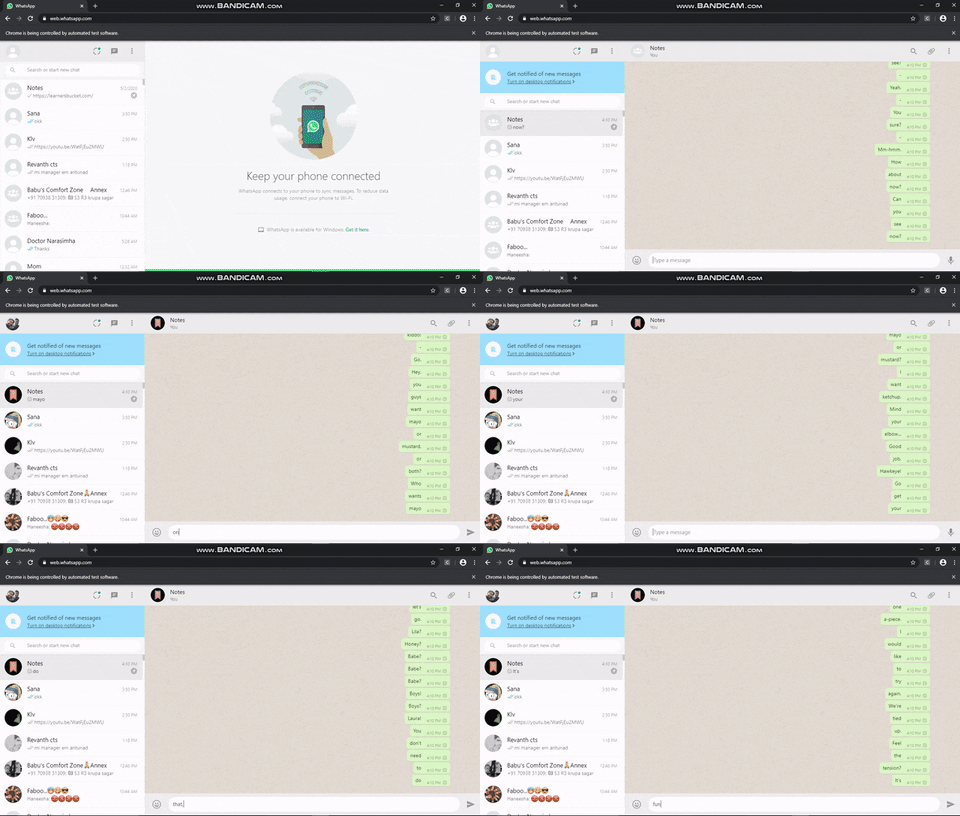
Now lets talk,
Prerequisites:
- Python
- Selenium
- webdriver (I used Chrome webdriver)
Step 1 :
need to import webdriver, keys and sleep
```python
from selenium import webdriver
from selenium.webdriver.common.keys import Keys
from time import sleep
```
Step 2 :
Enter the location of Chrome Webdriver and assign it to driver variable
```python
driver=webdriver.Chrome("") # Enter Location of Chrome driver
```
Step 3 :
I used whatsapp to send messages and I pinned the person to whom we need to send messages, so that there will not be any hustles.
```python
driver.get("https://web.whatsapp.com/")
sleep(15)
driver.find_element_by_xpath("/html/body/div/div/div/div/div/div/div[1]/div/div/div[1]/div/div/div").click()
sleep(5)
```
There should be some time where we can scan the QRcode to login, so I gave sleep(15) and that XPath is to open the chat window of that respective person
Step 4 :
Now locate the movie script file, assign it to fileLocation variable and open it in reading mode
```python
fileLocation= "" # Enter location of movie script file
```
Step 5 :
Now use "for loop" to send msg word by word
Xpath for entering a message
```python
driver.find_element_by_xpath("//*/footer/div[1]/div[2]/div/div[2]").send_keys(word)
```
### Source Code
```python
from selenium import webdriver
from selenium.webdriver.common.keys import Keys
from time import sleep
driver=webdriver.Chrome("") # Enter Location of Chrome driver
driver.maximize_window()
driver.get("https://web.whatsapp.com/")
sleep(15)
driver.find_element_by_xpath("/html/body/div/div/div/div/div/div/div[1]/div/div/div[1]/div/div/div").click()
sleep(5)
fileLocation= "" # Enter location of movie script file
with open(fileLocation,"r") as file:
for line in file:
for word in line.split(" "):
driver.find_element_by_xpath("//*/footer/div[1]/div[2]/div/div[2]").send_keys(word)
driver.find_element_by_xpath("//*/footer/div[1]/div[2]/div/div[2]").send_keys(Keys.ENTER)
```
**Hope it's useful**
*If you like my content, please consider supporting me*
%%[buymeacoffee]