
How I texted whole movie script word by word using Selenium in Python

In this post, I will share how I texted a whole movie script word by word in Python.
Let's start by watching small demo, how its going to look at end 😅
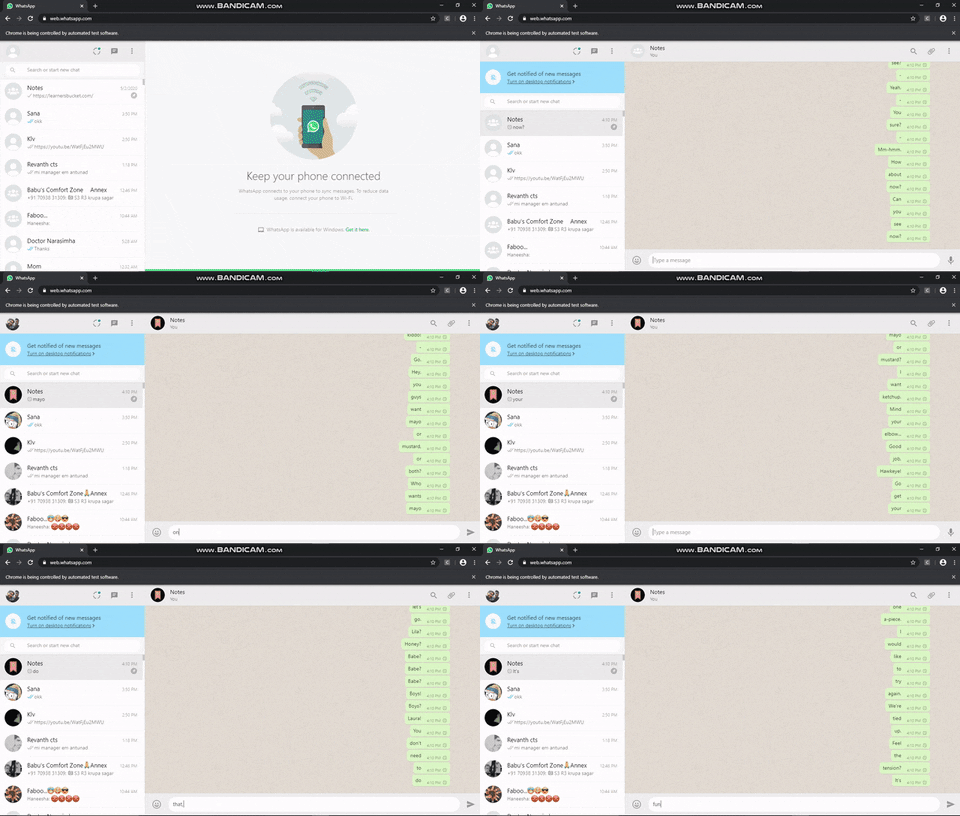
Now lets talk, Prerequisites:
- Python
- Selenium
- webdriver (I used Chrome webdriver)
Step 1 : need to import webdriver, keys and sleep
from selenium import webdriver
from selenium.webdriver.common.keys import Keys
from time import sleep
Step 2 : Enter the location of Chrome Webdriver and assign it to driver variable
driver=webdriver.Chrome("") # Enter Location of Chrome driver
Step 3 : I used whatsapp to send messages and I pinned the person to whom we need to send messages, so that there will not be any hustles.
driver.get("https://web.whatsapp.com/")
sleep(15)
driver.find_element_by_xpath("/html/body/div/div/div/div/div/div/div[1]/div/div/div[1]/div/div/div").click()
sleep(5)
There should be some time where we can scan the QRcode to login, so I gave sleep(15) and that XPath is to open the chat window of that respective person
Step 4 : Now locate the movie script file, assign it to fileLocation variable and open it in reading mode
fileLocation= "" # Enter location of movie script file
Step 5 : Now use "for loop" to send msg word by word
Xpath for entering a message
driver.find_element_by_xpath("//*/footer/div[1]/div[2]/div/div[2]").send_keys(word)
Source Code
from selenium import webdriver
from selenium.webdriver.common.keys import Keys
from time import sleep


driver=webdriver.Chrome("") # Enter Location of Chrome driver
driver.maximize_window()
driver.get("https://web.whatsapp.com/")
sleep(15)
driver.find_element_by_xpath("/html/body/div/div/div/div/div/div/div[1]/div/div/div[1]/div/div/div").click()
sleep(5)
fileLocation= ""  # Enter location of movie script file
with open(fileLocation,"r") as file:
    for line in file:
        for word in line.split(" "):
            driver.find_element_by_xpath("//*/footer/div[1]/div[2]/div/div[2]").send_keys(word)
            driver.find_element_by_xpath("//*/footer/div[1]/div[2]/div/div[2]").send_keys(Keys.ENTER)
Hope it's useful
If you like my content, please consider supporting me
About the author
𝕋𝕖𝕔𝕙𝕟𝕠𝕡𝕙𝕚𝕝𝕖
Comments
Join the discussionHaha that looks fun!!!! On my way to irritate my friends with this. Bye😂😂
lol


